Contents
2. Procedure and control description
A packer combines a defined number of products from 2 inputs at the input and passes them on as a transport unit.
2. Procedure and control description
The packer can be used as a universal element for merging two product streams. In contrast to grouping, the packer can also be used to describe the packaging material, for example.
The packer element has 2 inputs for incoming product streams (e.g. for containers and packaging material) and one output for the combined transport unit.
This allows various machine functions or material flows to be simulated.
Some examples:
•Filling quantity of product per container (e.g. bottle filling)
•Number of labels per product (e.g. labeling machine)
•Number of products per carton (case packer)
•Number of cartons per pallet (palletizer)
It should be noted that the unit dispensed by the packer consists of the number of grouped input products, but is counted as 1 object.
The packer can also be used to map shuttle or carrier systems with the modeling of a shuttle or carrier circuit.
After the products have been processed or transported in the shuttle or on the carrier, the unit can be dissolved again later (see also unpacker element).
The composition (proportions per product flow) of the transport unit (product) to be assembled can be defined via the two inputs of the packer.
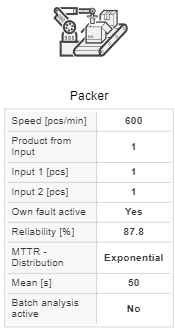
The operating speed (cycle time) and a failure behaviour (availability and MTTR) can be parameterized for the packer. The operating speed refers to the area in which the two product streams are brought together.
In the case of the packer, this is the outfeed of the element. The packer always “waits” for the other product/material flow. If the material flow is interrupted at an input of the element, i.e. no product is present, the packer stops.
If the quantity of processed material (e.g. product) is to be recorded at the element, the batch analysis must be activated for the evaluation.
Figure 1 shows different variants of the packer.
|
Element packer as a filling machine (e.g. 0.5/1 bottle) |
|
Element packer as a capper (1 cap/1 bottle) |
|
Element packer as a labeler (1 label/1 bottle) |
|
Element packer as a case packer (10 bottles/1 carton) |


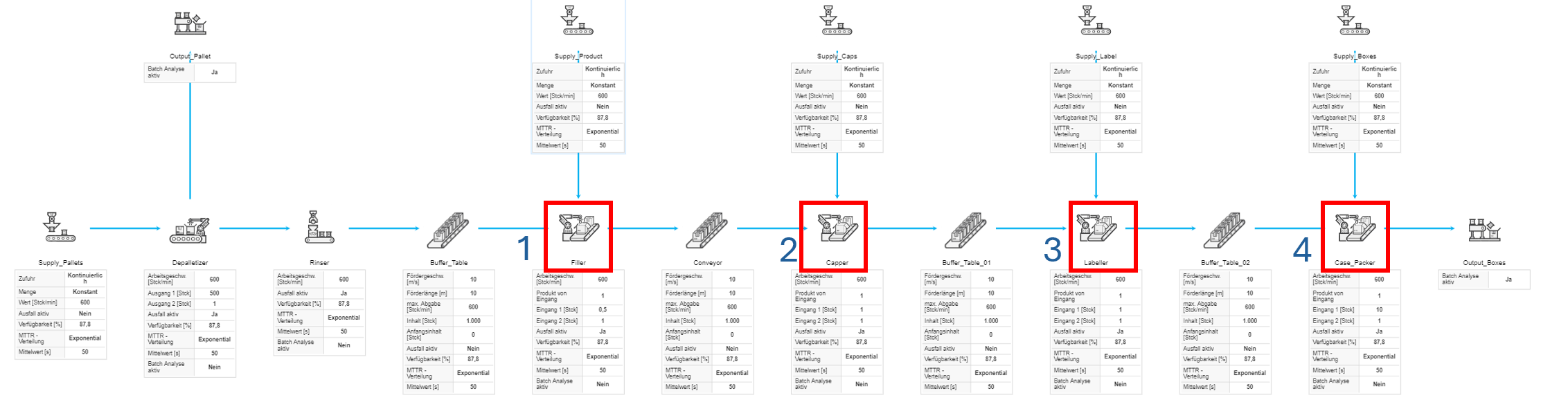
Figure 1 - Packer variants
Figure 2 shows a carrier circuit with a packer/depacker.
|
Carrier loader (Packer) |
|
Loaded carrier buffer 1 |
|
Loaded carrier buffer 2 |
|
Carrier unloader (Depacker) |
|
Unloaded carrier buffer |

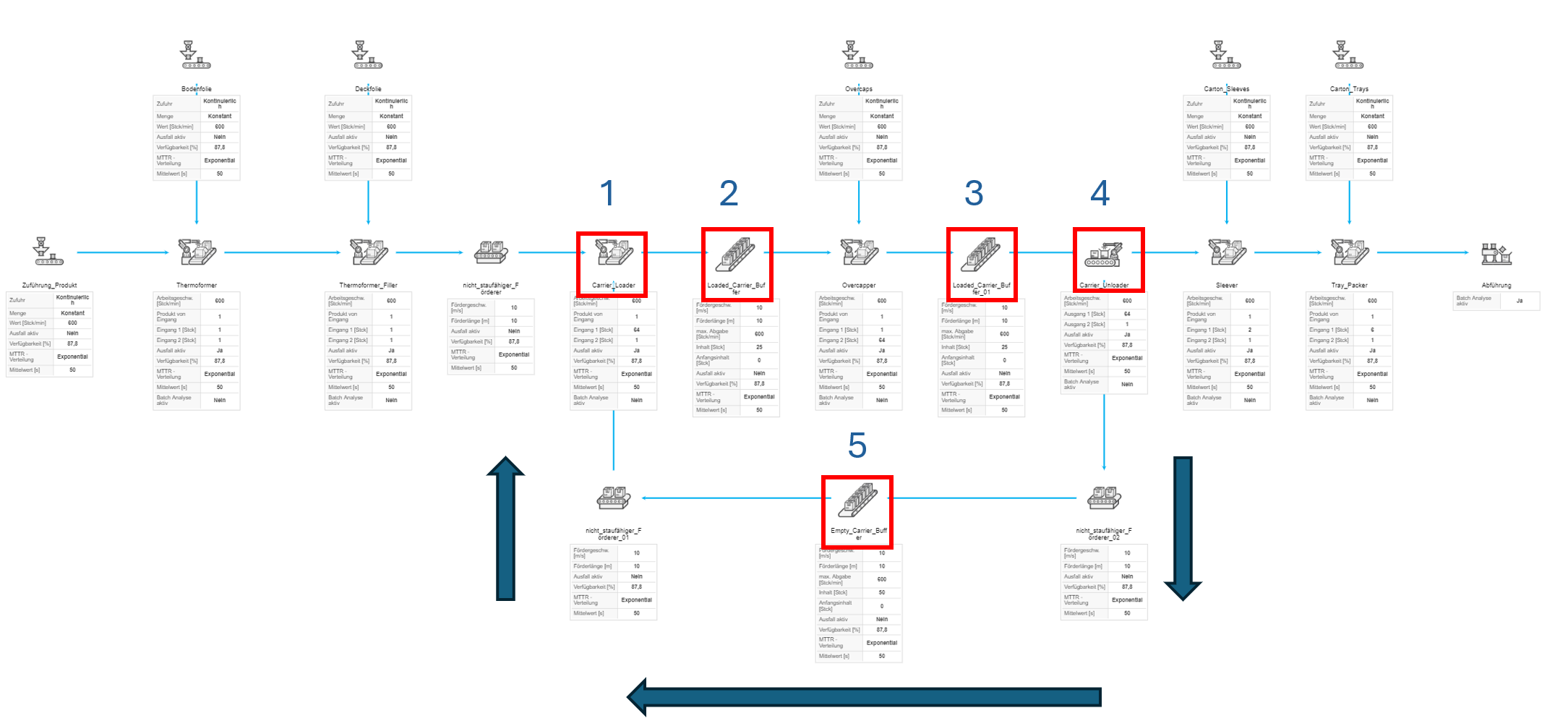
Figure 2 - carrier circuit with a packer/depacker
Figure 3 - Packer |
|
© SimPlan AG - Hanau District Court, Commercial Register (Part B) 6845 - info@simplan.de - www.simplan.de/en