Contents
2. Procedure and control description
A grouping collects a defined number of individual products at the input and passes them on as a transport unit.
2. Procedure and control description
The grouping element can be used to describe a grouping behavior. The element collects a defined number of materials (e.g. product) and passes them on as a unit.
In this way, groupings of material (product) can be created for further processing (e.g. x bottles in a grouping for the subsequent shrink packer).
It should be noted that the unit dispensed by the grouping consists of the number of grouped input products, but is counted as 1 object.
A grouping behaves like a packer (see element packer), but without a description of the packaging material.
Alternatively, the grouping can also be used, for example, to map shuttle or carrier systems without modeling a shuttle or carrier cycle.
After the products have been processed or transported in the shuttle or on the carrier, the unit can be broken up again later (see Degrouping element).
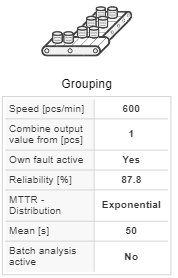
The working speed (cycle time) and a failure behaviour (availability and MTTR) can be parameterized for the grouping. In the default setting, the failure behavior is deactivated.
If the quantity of processed material (e.g. product) is to be recorded on the element, the batch analysis must be activated for the evaluation.
Figure 1 shows a case packer as a grouping without blank supply (packaging material). The unit dispensed consists of a box with 10 bottles (10 products).
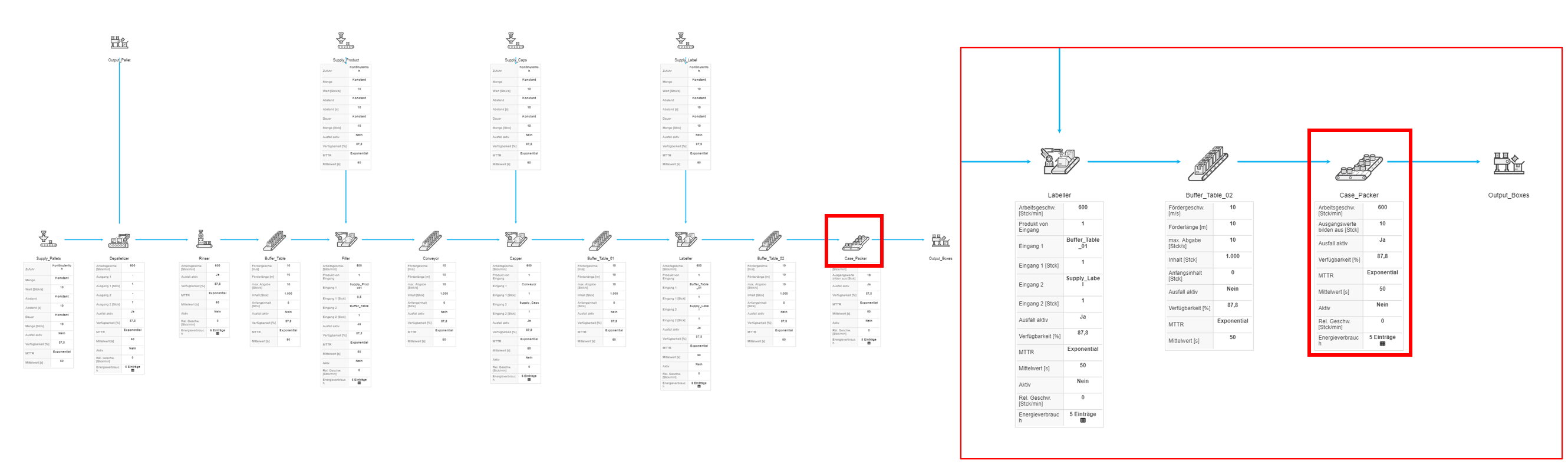
Figure 1 - Grouping
Figure 2 - Grouping |
|
© SimPlan AG - Hanau District Court, Commercial Register (Part B) 6845 - info@simplan.de - www.simplan.de/en