This chapter describes and explains the login window and the login process of the application. Login is via the cloud login service used (Azure in this example).
Once the user name and password have been entered, you can select from the available license types and start the application by clicking on Start.
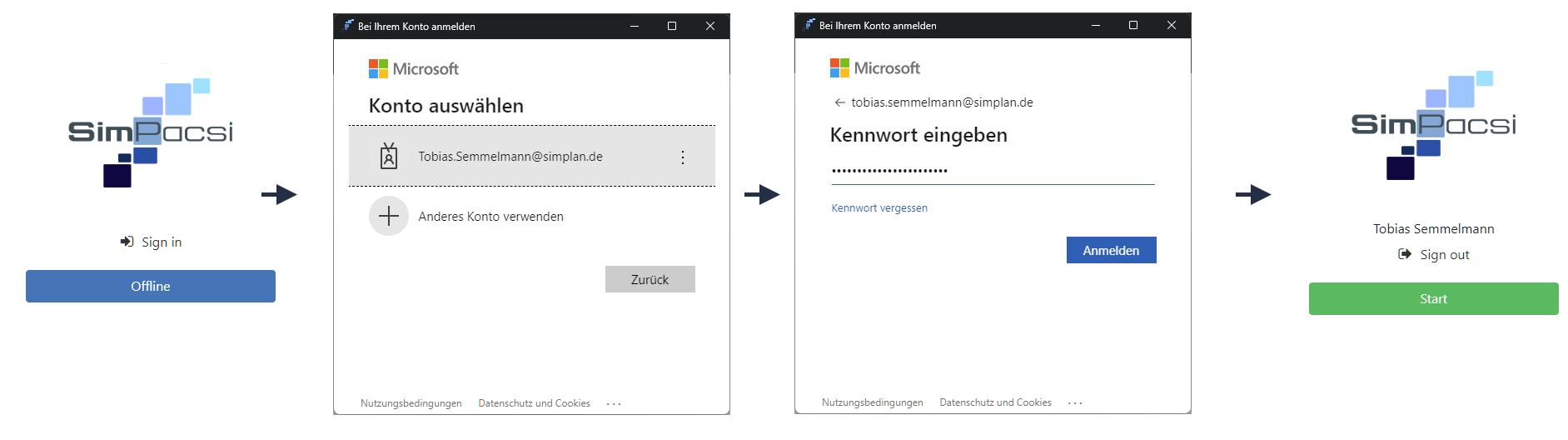
Figure 1 - Login process
If an initial login fails due to a server that cannot be reached, the connection information to the server must be checked and the administrator notified if necessary.
© SimPlan AG - Hanau District Court, Commercial Register (Part B) 6845 - info@simplan.de - www.simplan.de/en